The shape of a day.
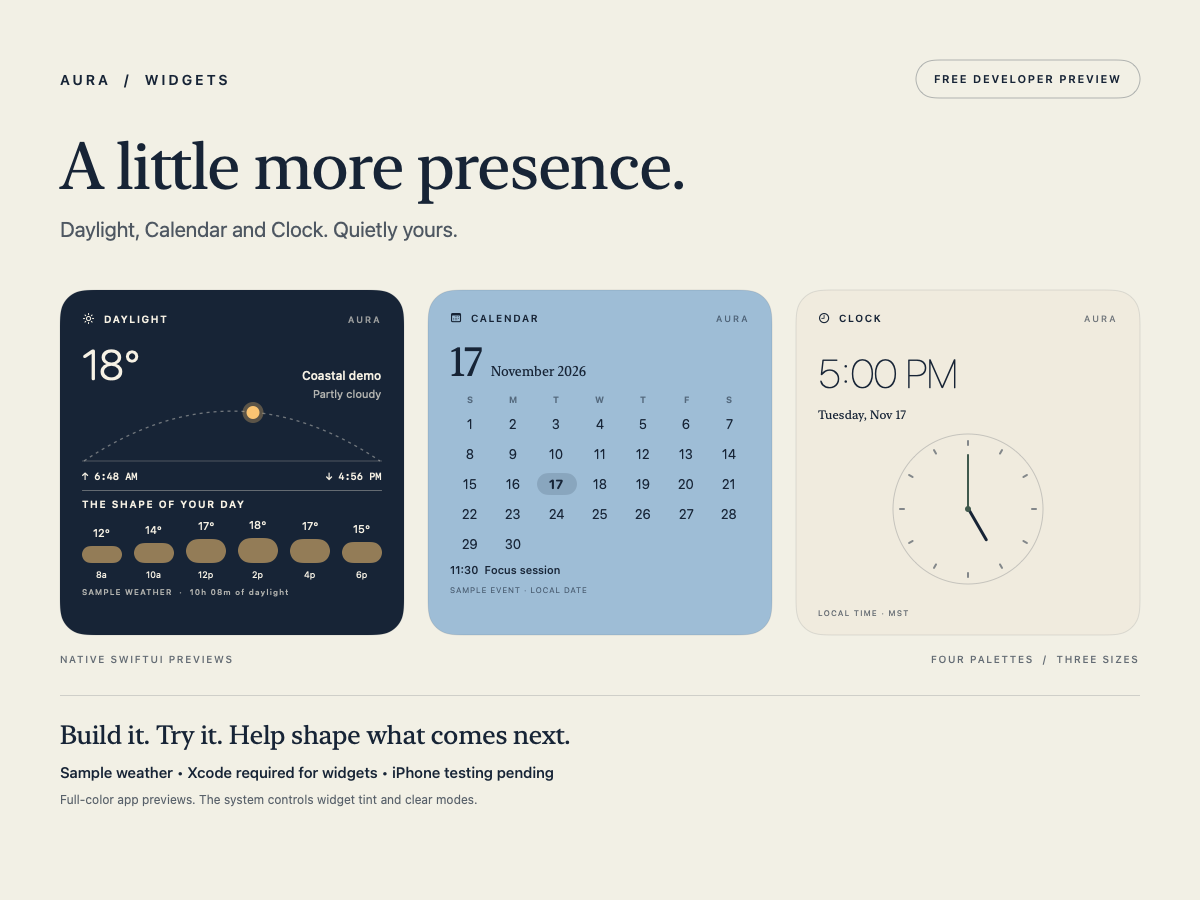
A sun path, first and last light, and a temperature rhythm. This is a design concept with fixed fictional conditions, not live weather or calculated astronomy.
Sample weather · no location accessFree developer preview · v0.1.0
A quiet Calendar. A considered Clock. A Daylight concept that gives your day a shape.
Aura Widgets is a native SwiftUI and WidgetKit project for Mac and iPhone. Explore the designs, build the companion, and help shape what comes next.
Developer source, not an app installer. Sample weather and Inbox. Xcode required for widgets; iPhone testing pending.
Small moments, thoughtfully made
Visual restraint, readable information, and space for your screen to breathe.
A sun path, first and last light, and a temperature rhythm. This is a design concept with fixed fictional conditions, not live weather or calculated astronomy.
Sample weather · no location accessA real local month, your device’s week-start order, and a clear today marker. Larger layouts add a labeled example focus session.
Live local date · sample agenda12- or 24-hour local time, with an analog face at Large. The companion ticks live; widget updates follow the system’s refresh budget.
Local time · three sizesRedacted fictional messages illustrate the layout. Tapping the widget opens Aura’s preview. No accounts, credentials, mailbox collection or sending.
Redacted sample data · opens app onlyQuietly yours
Midnight, Mist, Parchment and Sage. Choose a palette and clock format per widget. Studio controls change the companion preview.
Your OS controls clear and tinted appearances. Aura adapts its contrast and accent groups; the system may replace full-color palettes and remove backgrounds.
Build with us · November 17, 2026
Free. No account or payment required.
This download contains source code, an Xcode project, build scripts and model checks. It does not include a signed or notarized app, an iPhone installer, or live weather and email integrations.
Download developer source · ZIPA developer preview
Read AuraWidgets/README.md for the full status and setup.
With Apple Command Line Tools already installed, run bash Scripts/build_mac.sh from the AuraWidgets folder. Open build/AuraWidgets.app.
Open AuraWidgets.xcodeproj. Full Xcode and a signed build are needed for gallery testing; the source ships without a selected development team and with signing disabled. No Apple Developer subscription is included or purchased.
Looking for a tap-to-install consumer app? That release is still in development. There is no promised ship date or preorder payment.
Help shape Aura
Daylight, Calendar or Clock? Tell us on Threads. Please keep credentials and private calendar or email data out of feedback.